How To Set Up Obsidian Git
- Create a repository in Github
- Download Git 1.2k
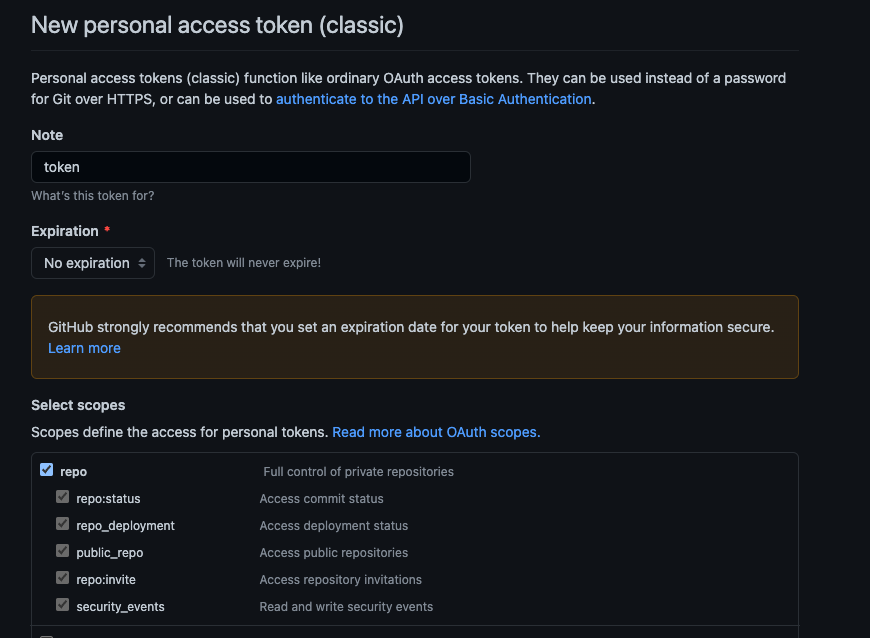
- Create a personal access token 2.4k from Github
- Install the Obsidian Git 3.7k community plugin
- Create a folder to store the repository. (e.g.
sync/). Set scopes to repo & expiration to no expiration - Run the command (CMD/Ctrl + P):
Clone an existing remote repo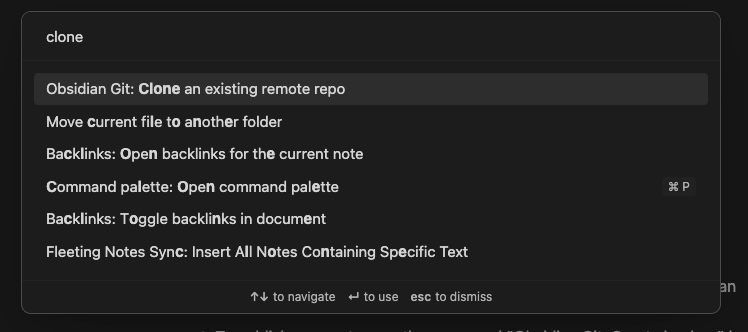
- Paste the URL of the forked repository in the following format
https://<PERSONAL_ACCESS_TOKEN>@github.com/<USERNAME>/<REPO>.git
For example it might look like this:```bashhttps://ghp_XXXXXXXXXXXXXXXXXXXXXXXXXXXXXXXXXXXX@github.com/shishir435/obsidianNotes.git
8. Then type in the folder you created in step 5 (e.g. `sync/`)9. Restart Obsidian10. Make edits to your notes11. Publish your notes run the command “Obsidian Git: Create backup” by opening the command palette (CMD/Ctrl + P)